![feature[23] white and gold logo](https://www.feature23.com/hubfs/f23-logo-white-with-gold.svg "feature[23] white and gold logo")
Software Terminology Cheat Sheet: 50+ Terms Every Non-Technical Exec Should Know
Mid-market business executives are sharp operators. They run complex businesses, manage real P&Ls, and make high-stakes decisions daily. But the moment a custom software conversation starts, the jargon hits — and suddenly it feels like a college lecture nobody signed up for.
That shouldn't be a barrier to making good technology decisions. This glossary breaks down the most common software terminology and software engineering terminology into plain English — organized by the categories that matter most when you're evaluating, building, or managing a custom software or AI initiative.
Whether you're sitting in a discovery session, reviewing a statement of work, or trying to decode what your engineering team just said on a call — this is the reference to keep open.
Software Terminology: Project & Process
Discovery Phase — The upfront work where a team figures out what to build and why before anyone writes code. If someone skips this, run.
MVP (Minimum Viable Product) — The smallest version of your software that still delivers real value. Not a prototype — a launchable product with just enough to learn what works.
Agile — A way of building software in short cycles (usually 2 weeks) instead of one giant delivery at the end. You see progress continuously, not just at launch.
Sprint — One of those short cycles in Agile. A focused burst of work with a defined set of tasks.
Backlog — The prioritized list of everything that still needs to be built. It always grows. That's not a problem — that's the system working.
User Story — A short description of a feature written from the perspective of the person using it. "As a warehouse manager, I need to see open orders by priority." That's a user story.
Scope Creep — When the project keeps getting bigger because new requirements keep appearing mid-build. The number one budget killer in custom software.
UAT (User Acceptance Testing) — The phase where your actual users test the software before it goes live. If your team skips this, the bugs find your customers instead.
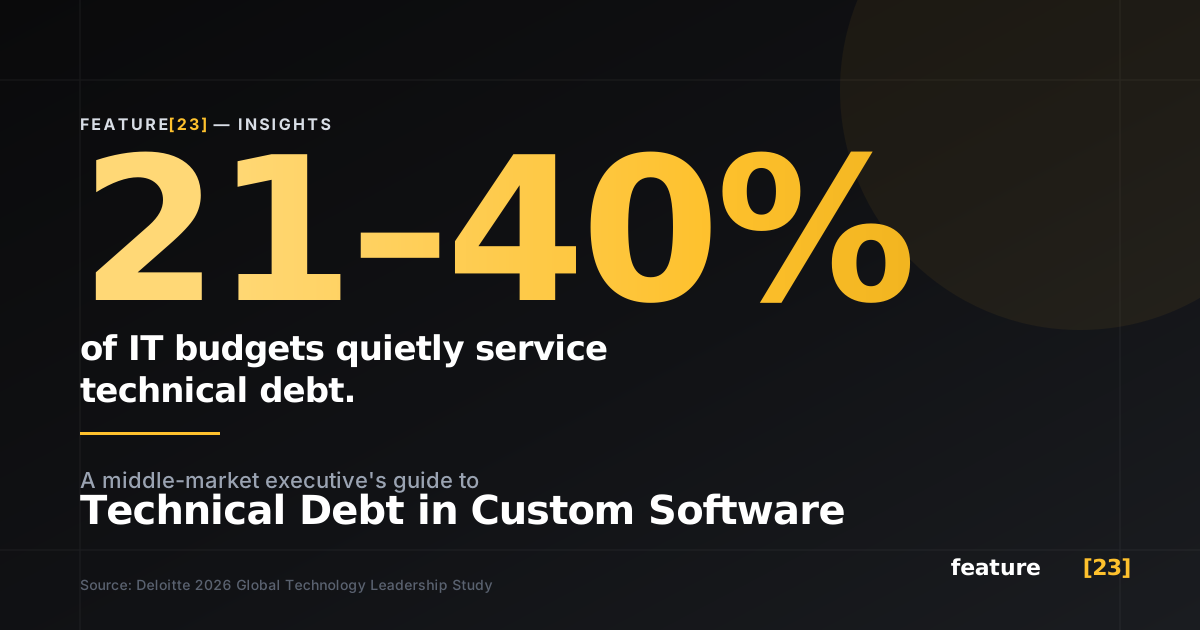
Technical Debt — Shortcuts taken during development that work today but create problems later. Every project accumulates some. The question is whether it's being managed or quietly ignored.
Velocity — How much work a team completes per sprint. It's not a productivity score — it's a planning tool. Be wary of anyone gaming this number.
Software Engineering Terminology: Architecture & Infrastructure
API (Application Programming Interface) — The bridge that lets two software systems talk to each other. When your CRM sends data to your warehouse system, an API makes that happen.
Frontend — What users see and interact with. The screens, buttons, dashboards.
Backend — Everything behind the scenes. The logic, the database, the rules that make the frontend work.
Tech Stack — The combination of programming languages, tools, and platforms used to build your software. Think of it like the materials list for a building.
Cloud-Native — Software designed from the ground up to run on cloud infrastructure (AWS, Azure, Google Cloud) rather than a physical server in your office.
SaaS (Software as a Service) — Software you rent, not own. Salesforce, HubSpot, Slack — all SaaS. Great until your business needs something it can't do.
Microservices — An architecture where a system is built as a collection of small, independent services rather than one big application. It's more complex to manage, but easier to update and scale.
Monolith — The opposite of microservices. One unified application. Not inherently bad — many systems work great this way, and it's simpler to build and maintain at smaller scale.
Database — Where your software stores its data. Sounds simple, but how it's structured determines how fast, flexible, and reliable your system is.
Integration — Connecting your new software to the tools you already use (ERP, CRM, accounting, etc.). This is where most timeline surprises live.
Software Terminology: Design & User Experience
UI (User Interface) — The visual layer your people interact with. Buttons, menus, layouts, colors. If the UI is confusing, it doesn't matter how good the backend is — nobody will use it.
UX (User Experience) — The overall experience of using the software, from first login to daily workflow. Good UX means people do what they need to do without thinking about the tool. Bad UX means they go back to the spreadsheet.
Wireframe — A rough sketch of a screen layout, stripped of colors and polish. Think of it as the floor plan before construction starts. If you're not reviewing wireframes early, you're approving something you haven't really seen.
Prototype — A clickable mockup that looks and feels like real software but doesn't actually work yet. It lets you test ideas with real users before spending development dollars.
User Research — Studying how actual humans will use your software, through interviews, observation, and testing, before and during the build. It sounds obvious. It gets skipped constantly.
Activity Mapping — Modeling what people actually do in their jobs before designing any screens. Most software projects skip straight to interfaces and end up building tools that don't match real workflows.
Responsive Design — Software that adapts its layout to work on any screen size — desktop, tablet, phone. If your field team is on iPads and your office is on monitors, this matters.
Accessibility (a11y) — Designing software so it's usable by people with disabilities — screen readers, keyboard navigation, color contrast, etc. Beyond being the right thing to do, it's increasingly a legal and compliance requirement.
Design System — A shared library of reusable UI components (buttons, forms, navigation patterns) that keeps your software visually and functionally consistent as it grows. Without one, every new screen looks like it was built by a different team.
Conceptual Integrity — The idea that every part of your software should behave like one coherent system — not a patchwork of disconnected features built by different teams at different times. When this breaks down, users get confused, bugs multiply, and maintenance costs spike.
Design Debt — The design equivalent of technical debt. Quick UI fixes, inconsistent patterns, and skipped research that compound over time. The longer it lingers, the harder your software is to use — and the more expensive it is to fix.
Concept Drift — When the original vision for how your software should work starts fragmenting during development. Features get added, edge cases get patched, and suddenly the system doesn't behave like one product anymore. One of the most expensive problems in custom software — and one of the least talked about.
Design Handoff — The moment design specifications go to engineering for build. On good teams, this isn't a "throw it over the wall" event — designers stay involved through implementation to catch drift early.
Build Verification — Reviewing what engineering actually built against what was originally designed. It catches the gap between intent and reality before your users do.
AI & Machine Learning Terminology
LLM (Large Language Model) — The technology behind tools like ChatGPT and Claude. Trained on massive amounts of text, it generates human-sounding responses. Powerful — but it's a tool, not a strategy.
Generative AI — AI that creates new content — text, images, code — rather than just analyzing existing data. Most of the current AI hype lives here. Most of the real value lives in how you apply it.
Agentic AI — AI that doesn't just answer questions — it takes actions. It can plan, use tools, execute tasks, and course-correct. This is the frontier in 2026.
Prompt Engineering — The skill of writing instructions that get useful, consistent results from an AI model. It's deceptively important.
Fine-Tuning — Taking a general-purpose AI model and training it further on your specific data so it performs better for your use case.
RAG (Retrieval-Augmented Generation) — A technique where AI pulls from your company's own data before generating a response, so the output is grounded in facts you control — not just the model's training data.
Hallucination — When an AI confidently generates something that's completely wrong. It's not lying. It's pattern-matching without understanding. This is why guardrails matter.
Guardrails — Rules and boundaries built around AI systems to prevent harmful, inaccurate, or off-brand outputs. Think of them as the "you can go this far and no further" layer.
AI Governance — The policies and processes that determine who can deploy AI, what data it can access, how decisions are audited, and who's accountable when something goes wrong.
Machine Learning (ML) — A broader category of AI where systems learn patterns from data instead of following hand-coded rules. Not all ML is generative but much of it powers predictions, recommendations, and anomaly detection.
Token — The basic unit an AI model reads and writes in. It's not a word exactly — it's more like a syllable-sized chunk. Why it matters to you: tokens determine how much you can feed into a model and how much it costs per request. More tokens, more money.
Context (Context Window) — The amount of information an AI model can "see" at one time. Think of it as the model's working memory during a single conversation. If your document is too long or your conversation goes too deep, older information falls out of the window — and the AI stops accounting for it.
Memory — The ability for an AI system to retain information across separate conversations or sessions. Most models start fresh every time unless memory is explicitly built in. If you want AI that learns your business over time, this is the capability that makes that possible — and it needs to be designed intentionally.
Software Development Terminology: Business & Partnerships
SOW (Statement of Work) — The formal document that defines what will be built, by when, and for how much. If it's vague, you'll pay for that vagueness later.
Time & Materials (T&M) — A pricing model where you pay for actual hours worked plus costs. More flexible than fixed-price, but requires trust and visibility.
Fixed Bid — A pricing model with a locked-in total cost. Sounds safer, but it often leads to corners being cut or change orders piling up.
Staff Augmentation — Hiring outside developers who work under your direction. You manage them. This works when you know exactly what to build.
Product Team (Dedicated Team) — An outside team that owns delivery end-to-end: strategy, design, development, and deployment. This works when you need a partner, not just hands.
DevOps — The practice of automating and streamlining how software gets built, tested, and deployed. It's the assembly line behind modern software delivery.
CI/CD (Continuous Integration / Continuous Deployment) — The automated pipeline that tests and ships code changes quickly and reliably. Without it, every release is a white-knuckle event.
R&D (Research & Development) — In the context of custom software and AI, this means investing time upfront to explore what's actually possible before committing to a build. Skip it, and you're placing expensive bets on assumptions.
CapEx vs. OpEx — Capital expenditure (building an asset) vs. operating expenditure (paying for ongoing services). How you classify a software investment affects your books, your taxes, and your board conversations.
Roadmap — A high-level plan showing what features or capabilities will be built and roughly when. It's a communication tool, not a contract, and anyone who treats it like a contract is going to have a bad time.
Beyond the Glossary: What Actually Matters
You don't need to memorize any of this software terminology. Bookmark it, come back when a term pops up in a meeting, and move on with your day.
What matters more than vocabulary is the confidence to ask "what does that mean?" when someone throws software engineering terminology at you, and working with people who answer clearly instead of hiding behind it.
The best software investments don't start with a spec. They start with an honest conversation about what the business actually needs.
If you're evaluating a custom software or AI initiative and want to think it through with someone who won't make you feel like you need a CS degree — let's talk.
This glossary is maintained by feature[23], a custom software engineering firm that helps mid-market companies build the right digital solutions. Have a term you think belongs on this list? Get in touch.